Gameplay Ability System
The Gameplay Ability System is an incredible framework for Unreal Engine that allows developers to create organized and modular classes to handle the use of abilities. The main key components of the Gameplay Ability System are:
- Ability System Component: The main component placed on Actors that handle the use of abilities and the communication between other actors. The way I used them in this project is that the player and enemies each have their own Ability System Component called the GASComponent.
- Gameplay Ability: These handle the logic of each ability. I used these to handle how to move the character, detect collision by multitracing, and handle damaging the targets.
- Gameplay Effect: Gameplay Effects can handle anything that changes the state of a character through the use of abilities. I used them to change the state of attributes (dealing damage), applying cooldowns on abilities, adding or removing Gameplay Tags on an actor, or activating a Gameplay Cue.
- Gameplay Cue: These are purely for cosmetic feedback. I have used instantaneous GameplayCues to play particle systems that will destroy itself after completion, as well as GameplayCues as Actors that have either a sequence of particle systems that are time sensitive or will play indefinitely.
- Gameplay Tag: Although these can be used outside the Gameplay Ability System for any number of reasons, this project used Gameplay Tags to categorize abilities, manage effects, handle invincibility during dashes, and confirm which abilities were on cooldown.
- Attribute Set: Even though this is a requirement, this can be used outside the Gameplay Ability System. These define character stats like health. This project uses Health and MaxHealth attributes.
Enemy Behavior Tree
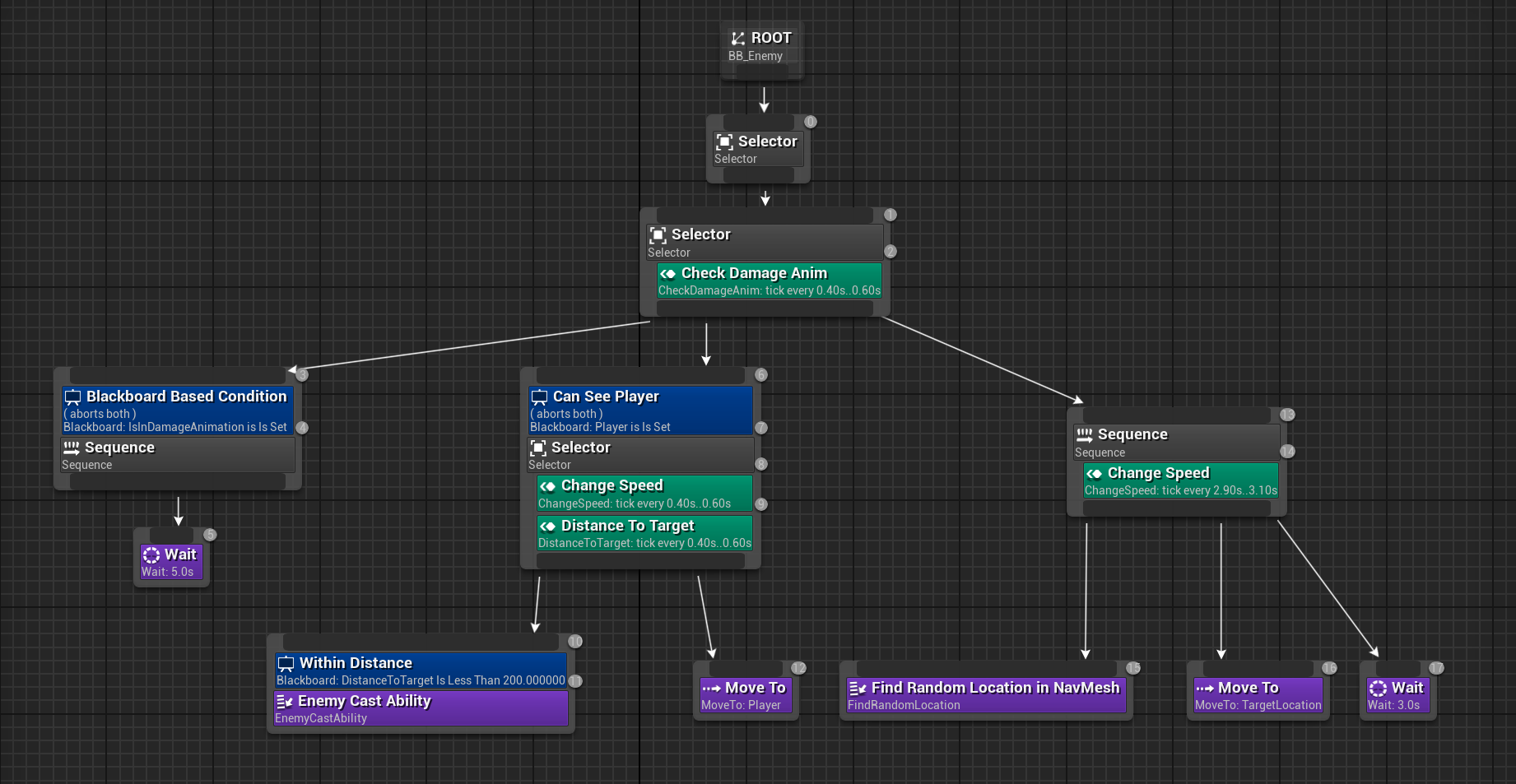
The Behavior Tree of the Enemy The Enemy contains a Perception System based on Sight. It uses a sight radius 360 degrees to detect if a player (which contains a Sight Stimulus) is within range.
- First checks if the Enemy is currently in a Damage Animation.
- If they are, then just wait until it is finished. This allows the player to interrupt the enemy by damaging them.
- If they are not currently getting damaged, then the enemy checks if the player is within the perception. a. If the player is not within range, then the Enemy will randomly move within a navigatable space within the nav mesh while moving at a slower speed. b. If the player is within range, then the Enemy will chase the player at a faster speed, and cast a random ability when the player is within striking distance.
Navigation System and Nav Links
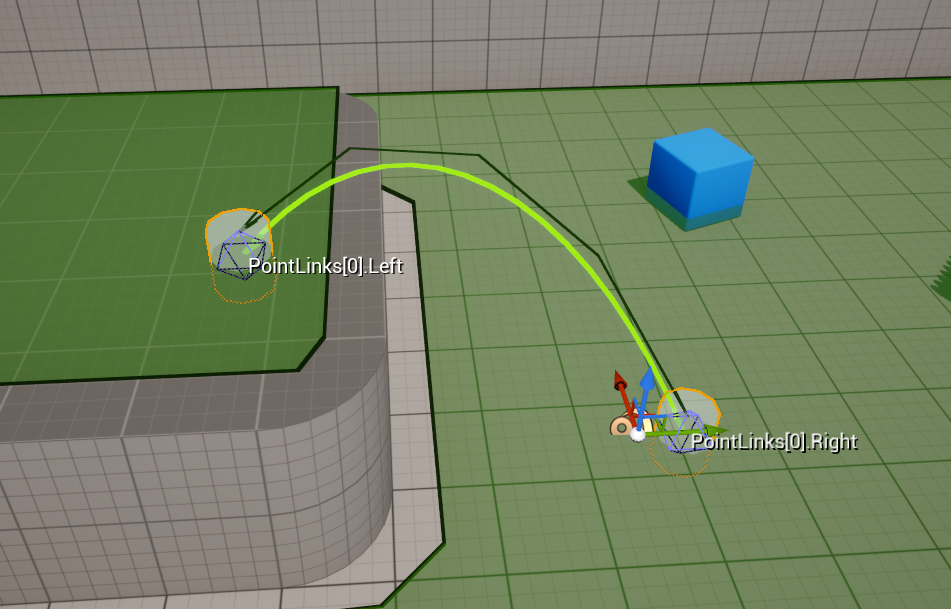
Since the character's controls are not directly controlled by the player (using arrow keys, or WASD, or a joystick to move), the character needed to use the navigational mesh and AI pathfinding to move around. The design of the game needed the character to be able to jump from one navigatable mesh to another. Unreal's basic Nav Link Proxy will automatically have Nav Agents drop down to lower nav meshes. I cancelled that and wanted to create my own Jump system. I added an interactable actor that spawns on the Left Nav Proxy and created a jump event once the interactable actor has been interacted with.
Justin Salanga 2024